Curio is a local-first desktop reader for RSS, Atom and read-later. It
treats your notes as the destination, not a silo — everything you save becomes
plain markdown you own, and how you read is an append-only event log
your own tools can replay. No accounts, no telemetry, no phone-home.
Everything runs on your machine. The only thing that leaves it is fetching the feeds you subscribed to.
Notes as the destination
Save any article to your own directories as markdown with typed YAML frontmatter — a byte-preserved managed region means your edits are never clobbered on re-export.
Add anything
Paste a URL, an r/subreddit, an @user@instance Mastodon handle, a YouTube channel or Hacker News — Curio detects the feed. A Popular-sources row gets you started in one click.
Folders & a real reading flow
Create, rename and reorder folders and drag feeds into — and back out of — them; reorder by mouse or keyboard (Alt+↑/↓); right-click menus and keyboard tree navigation everywhere; comfortable/compact density, inline snippets, on-demand readability, and next-unread across feeds.
Always fresh
Curio refreshes your feeds on launch and on a schedule you set (off, 15, 30, 60 or 180 min), and can post a native desktop notification when new items land — with per-event toggles, quiet hours and per-feed opt-out.
Updates itself
A built-in updater checks for new releases, downloads and verifies them, installs in place and relaunches on a click — with auto-check / auto-install toggles. Updates are signed GitHub-release artifacts.
Bring your library
Import from OPML, plus Pocket, Instapaper and Readwise CSV exports — saved articles arrive as read-later items with their tags intact.
Themes & typography, made yours
System / Light / Dark plus six editorial palettes — or craft your own theme and share it as YAML. Tune the reader's size, width, weight, letter-spacing, line-height and hyphenation, or switch to a Sepia or Paper reading theme, all previewed live. A fully translated UI in eight locales, all at WCAG-AA contrast.
Keyboard-first & accessible
A native macOS menu bar with ⌘-chord hotkeys, full vim-style keyboard control, right-click context menus and tooltips, a focus-trapped modal system, live-region toasts and WCAG-AA contrast.
Private by default
No telemetry, no accounts, no phone-home. Remote media and favicon fallbacks are opt-in, notifications are local, and an append-only event log stays under .curio/, never committed to git.
“The reading surface of a personal knowledge plane: your vault and your scripts are
first-class consumers, via two small, versioned, published contracts.”
How it works
One engine, your data, two contracts
A headless Rust engine drives both the desktop app and a CLI, and emits two small published contracts your own tools consume.
flowchart LR
    feeds["RSS / Atom feeds"]
    subgraph curio["Curio"]
        direction TB
        core["curio-core
headless engine"]
        head["Desktop app"]
        cli["curio CLI"]
        core --> head
        core --> cli
    end
    feeds -->|"policed fetch"| core
    core -->|"curio.frontmatter.v1"| notes["Your notes
markdown + frontmatter"]
    core -->|"curio.events.v1"| log[".curio/events/
append-only JSONL"]
    notes --> tools["Your vault & scripts"]
    log --> tools
Make it yours
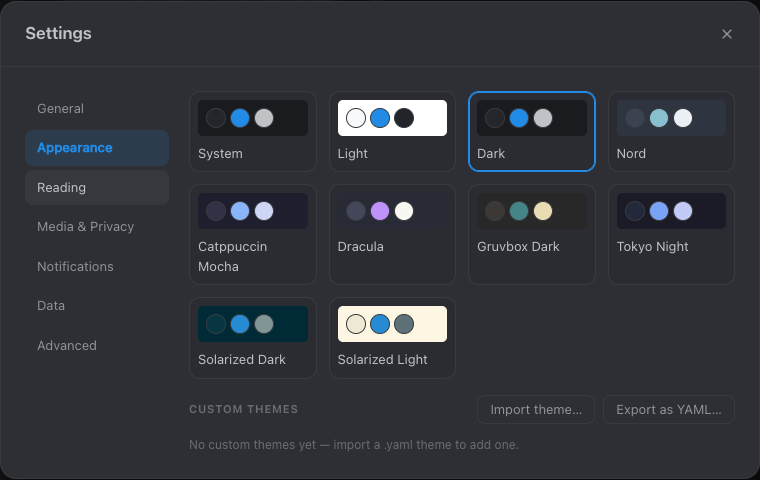
Nine themes from clean Light/Dark to Nord, Catppuccin, Dracula, Gruvbox,
Tokyo Night and Solarized — or craft your own and share it as YAML. Tune
the reading column with a live preview, and pick your interface language.
Settings are organized into tabs — General, Appearance, Reading,
Notifications, Media & Privacy, Data and Advanced.
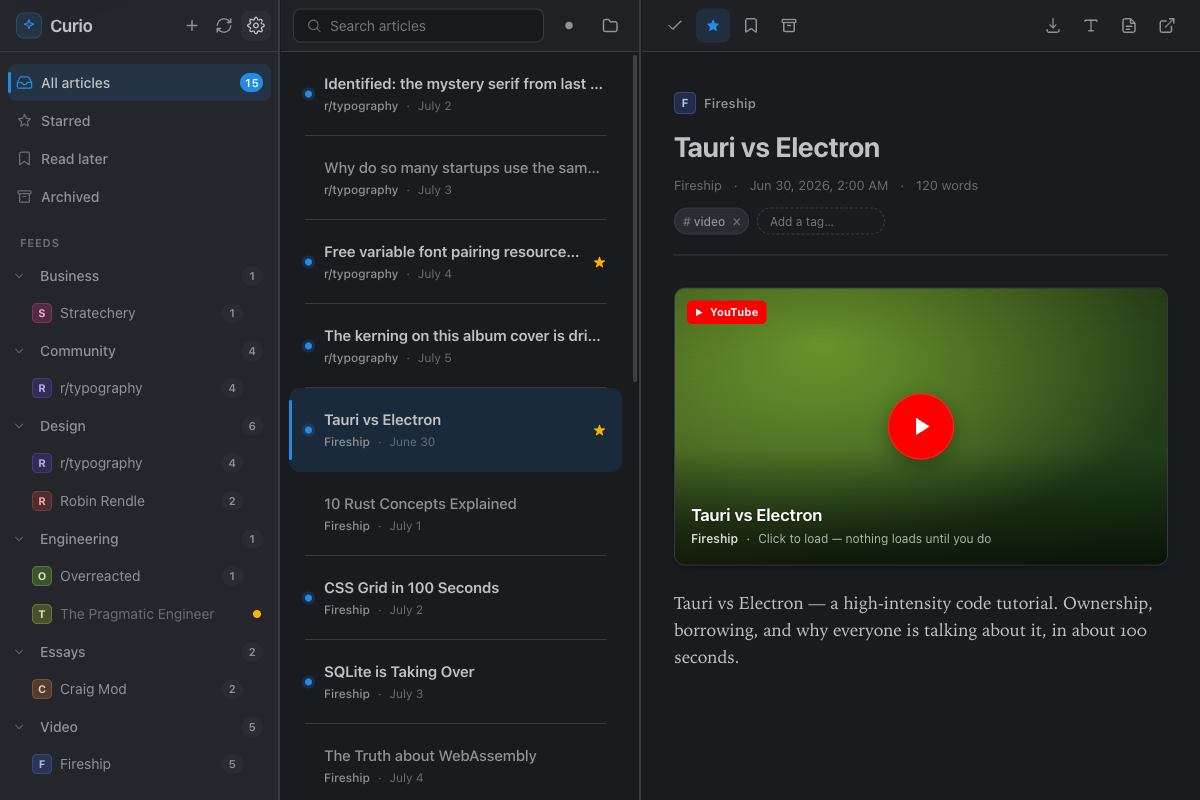
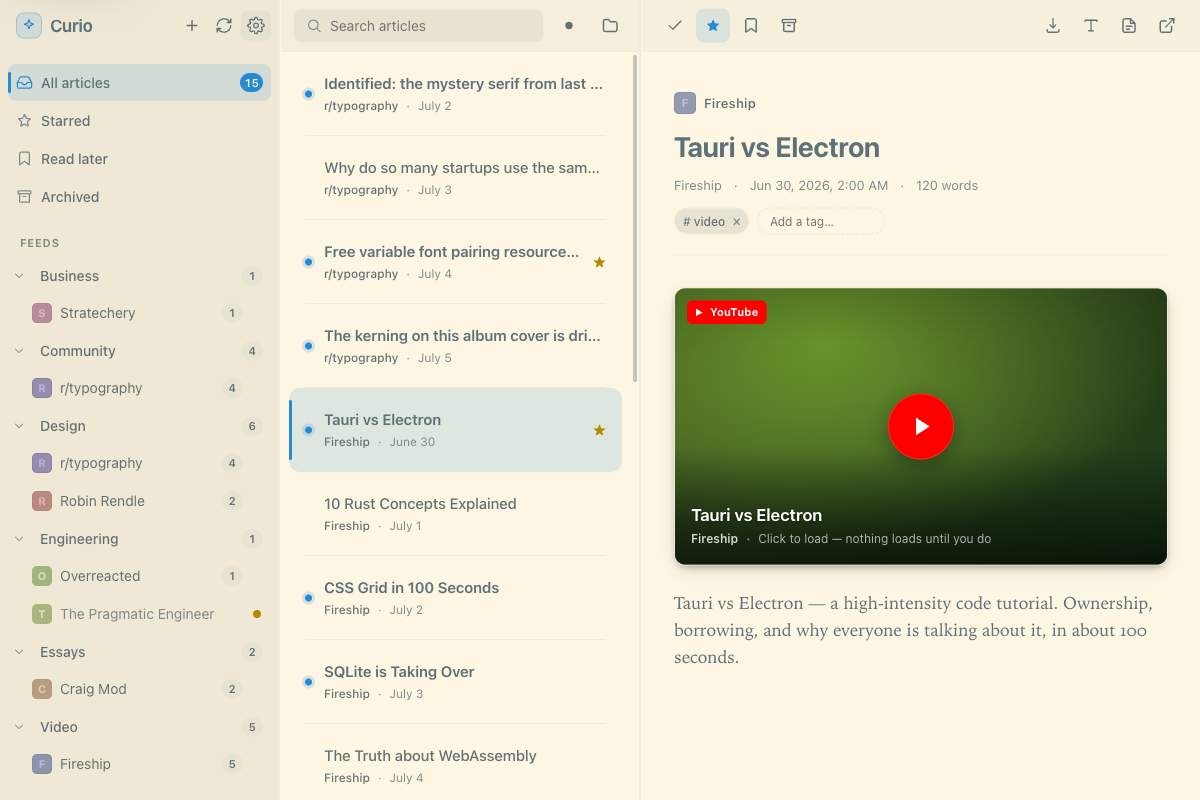
A serif reading column, editorial rhythm and RSS-native Reddit / YouTube
layouts that load nothing from the network until you click. Here's
the same reader in Solarized Light.
Set it and forget it
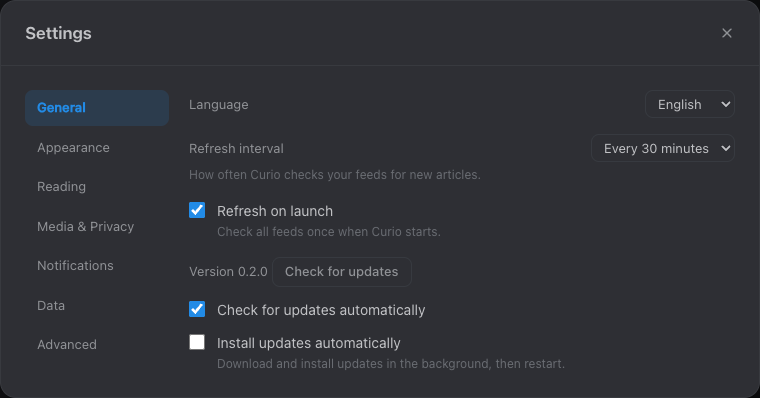
Curio refreshes on launch and on the schedule you set, and keeps
itself up to date — a built-in updater checks the GitHub release
feed and installs new versions in place, signature-verified, then
relaunches on a click. Auto-check and auto-install are yours to
toggle.
Install
Get Curio for macOS
Homebrew is the easiest path; a direct .dmg is on every release.
Homebrew
brew install --cask alexnodeland/tap/curio
Direct download — grab the universal Curio-universal.dmg (Apple silicon and Intel) from the latest release.
Curio is not signed or notarized (Apple Developer enrollment is
deliberately skipped), so Gatekeeper blocks it on first launch. Open it once via
right-click → Open (macOS 12–14) or
System Settings → Privacy & Security → Open Anyway
(macOS 15+), or clear quarantine:
Auto-updates — after first launch Curio keeps itself current. It checks the GitHub release feed and can download, verify and install a new version in place, then relaunch on a click; auto-check and auto-install are toggles in Settings → General. (The updater verifies signed release artifacts; the initial download is still unsigned — see above.)
Windows and Linux bundles are built nightly and downloadable as CI artifacts, but are not a shipped channel yet.
Reference
Keyboard shortcuts
Curio is built to fly under your fingers. Press ? in the app for the full, always-current list.
Key
Action
j / k
Next / previous article
n
Next unread, across feeds
s · l
Star · read-later
m · a
Mark read/unread · archive
o
Open in browser
p
Save to a notes destination
g then a/s/l/e
Go to All / Starred / Read-later / Archived
?
Keyboard reference
⌘N · ⌘R
Add feed · Refresh all
⌘, · ⌘1–⌘4
Settings · All / Starred / Read-later / Archived
A native macOS menu bar exposes the same actions and their command-key chords.
Importers
Move your library over in one step.
Source
Format
Imports as
OPML
.opml
Feed subscriptions (with folders)
Pocket
.csv
Read-later articles + tags
Instapaper
.csv
Read-later articles (folders → tags)
Readwise Reader
.csv
Read-later articles + tags
The two contracts
Curio is a good citizen of your knowledge plane. Everything it writes is documented and versioned.
Contract
What it is
curio.frontmatter.v1
Every saved article → a markdown note with machine frontmatter and a managed region; your edits outside it survive re-export byte-for-byte.
curio.events.v1
Saved / starred / read-later / tagged / opened events as append-only JSONL under .curio/events/, built for downstream replay.