Your first session
Fifteen minutes, start to a model that proposes.
Open the instrument. Nothing to install. Everything below happens in one browser tab, and it all persists when you close it.
0. Boot
The engine compiles, then fills a pool of candidate patches. Each one is generated, compiled, rendered as a fixed five-second phrase, checked for pathology and measured. That is about forty renders, so the boot bar takes a moment.
You do not have to wait for all of it. At 8 patches the first duel is dealt; the rest fill in behind you while you play. On a machine with cores to spare the renders run in parallel.
Every candidate is rendered and inspected before it can reach your speakers: finite samples, a peak ceiling, not silent, not DC-dominated. Evolution does produce screaming resonance and silent duds; the gate is why you never hear them. A patch that fails is quarantined, and the search is told to avoid that region.
1. The warm start: pick 3 of 9
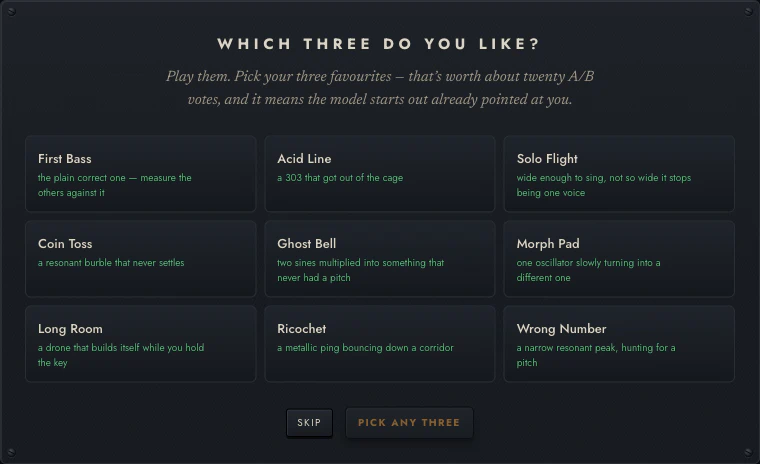
On first run you are shown nine presets, drawn one per family from the built-in library and then filled out to nine, and asked to pick three.
Do it. It takes thirty seconds and it is worth 18 pairwise observations: each of your three picks beats each of the six you passed over. That is the difference between a model that has an opinion by the end of your first session and one that does not.
Pick on sound alone. There is no wrong answer and you are not committing to anything; the model treats these like any other preference, and they fade with time like any other.
You can re-run it later from the ⋯ menu → Re-run the three-pick warm start.
2. Answer some duels
Go to EVOLVE. You get two candidates, A and B.
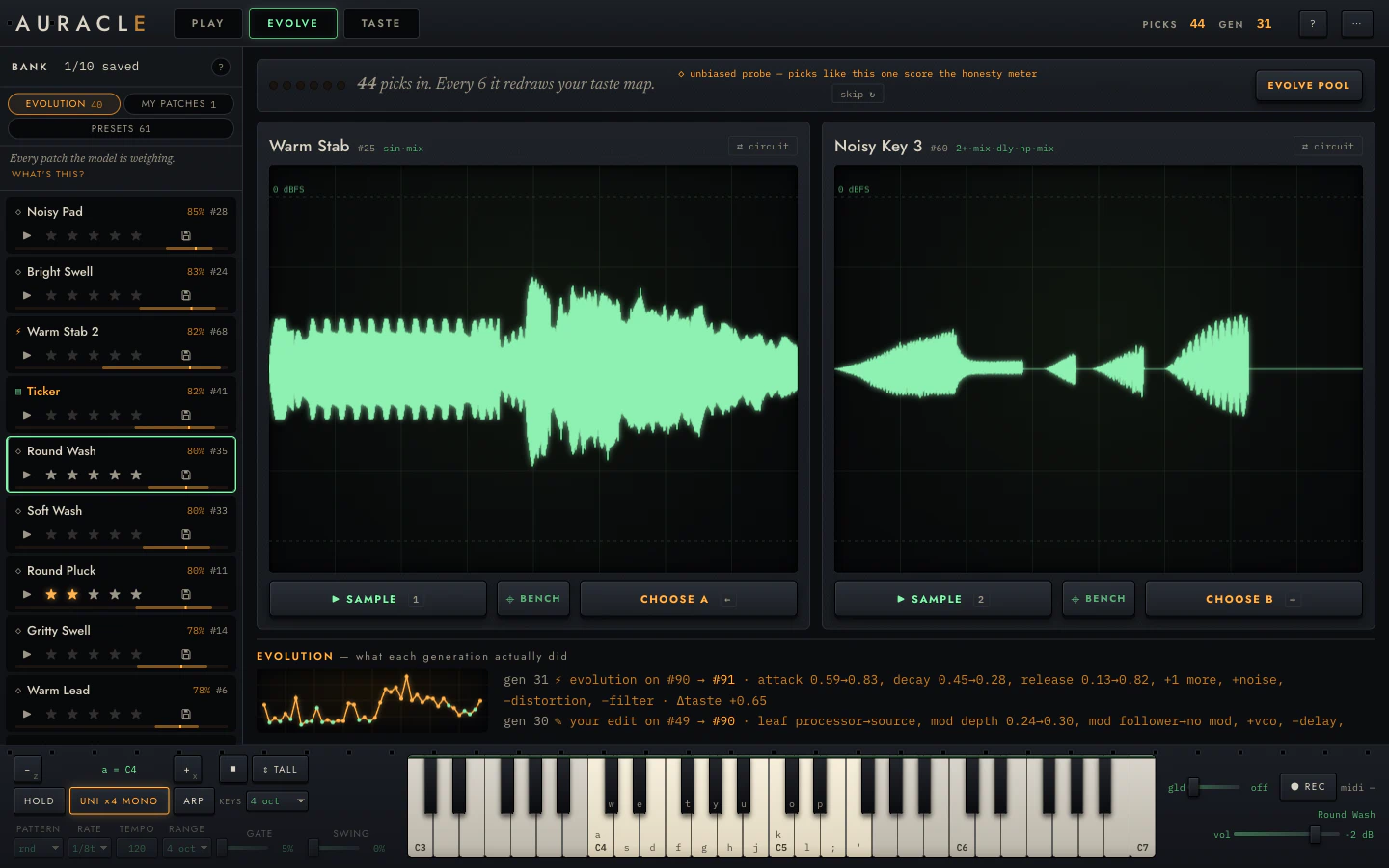
- 1 / 2 play the sample: the same fixed phrase for both, so you are comparing patches and not performances.
- Click a card to play that candidate live on the keyboard instead, if the phrase is not telling you enough.
- ← / → choose.
Answer ten or fifteen, and go fast. A duel is a gut reaction and the model handles noise; deliberating does not make the data better.
If neither is any good, that is still an answer: pick the less bad one. What the model learns from a duel is a direction, and "both mediocre but this one less so" is a real direction. There is also skip if a pair tells you nothing.
Watch the strip above the cards. It counts your picks and says when the model will next redraw its map. When it does, the E of the wordmark lights: that is the listening lamp, and it means a fit is running.
3. Look at what it thinks
Go to TASTE.
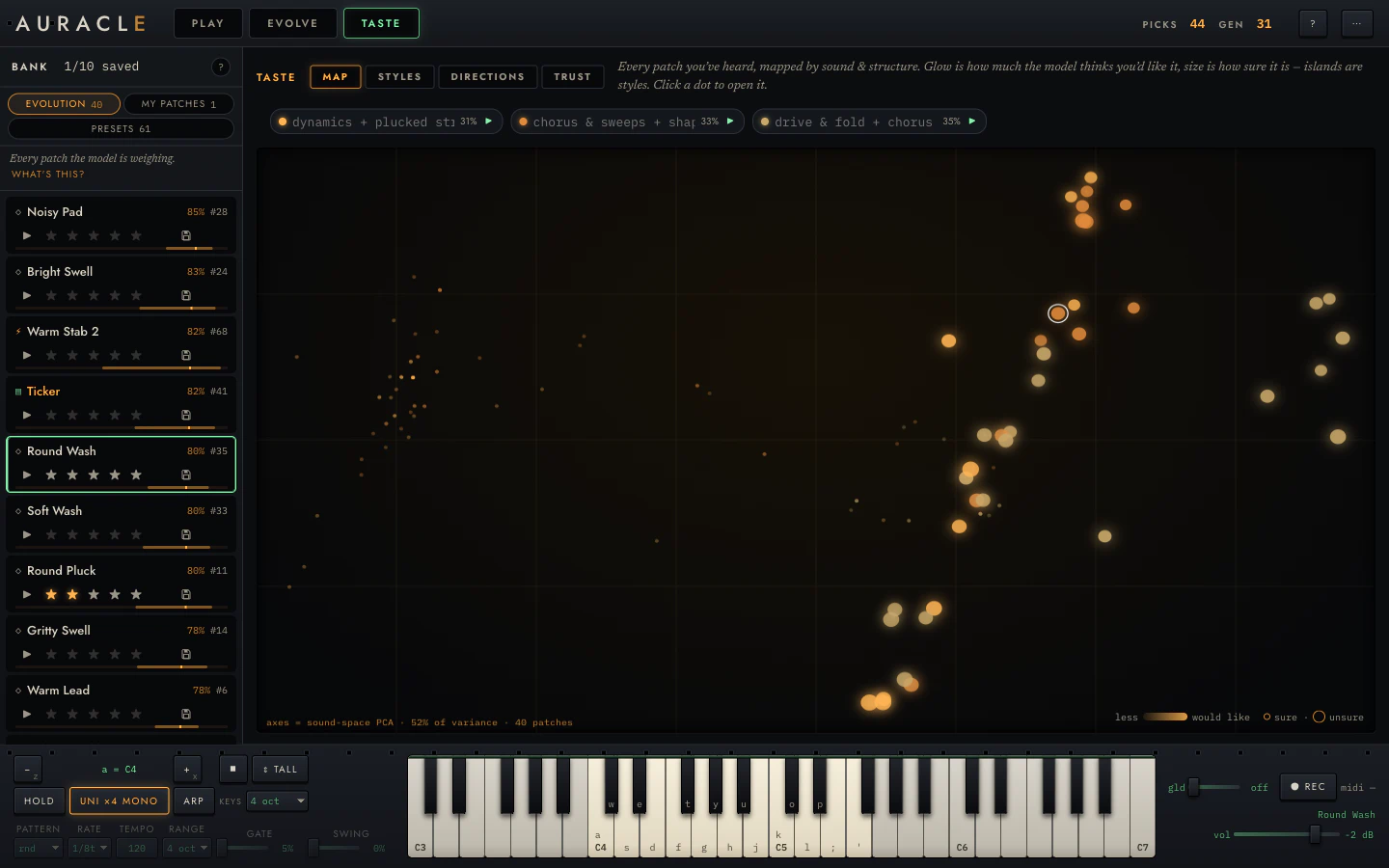
Early on this will be sparse and the styles will be provisional. Two things are worth checking even now:
- STYLES. Does any lens have a name that sounds like something you like? The names are generated from what each lens weights, so "drive & fold + chorus" means the model has noticed you leaning that way.
- TRUST. It will probably say it is not beating a coin flip yet. Good. It is telling you the truth, and that page explains why a plain hit-rate would have lied to you here.
4. Breed a generation
Back in EVOLVE, press EVOLVE POOL.
The model takes your best patches, walks each one a short distance uphill on what it now believes, and injects the children into the pool. The EVOLUTION strip below reports what each step did, in plain terms:
gen 31 ⚡ evolution on #90 → #91 · attack 0.59→0.83, decay 0.45→0.28,
release 0.13→0.82, +1 more, +noise, −distortion, −filter · Δtaste +0.65
Then keep duelling. New candidates are in the mix now, and the questions get better as the model gets less uncertain.
5. Keep what you like
Anything worth keeping:
- ★ stars it. That is an observation, and it teaches the model.
- save it. That is storage: it moves the patch to my patches and exempts it from eviction. It teaches the model nothing.
Two controls, two different jobs, and it is worth knowing which one you want.
Then what
You now have the loop. From here:
- Turn some knobs → Reading and editing the rack
- Rewire it → Wiring and the node bank
- Play it properly → Playing it
- Lock what you love and evolve around it →
⚡ evolve from this - Understand what the model is doing → What it learns from
Your whole session (bank, names, taste history, style names, layout) autosaves as you go and restores when you come back. Press ? in the app at any point for the full key map.